

The State of Contact Management in 2026: Trends, Stats, and Insights Every Business Should Know

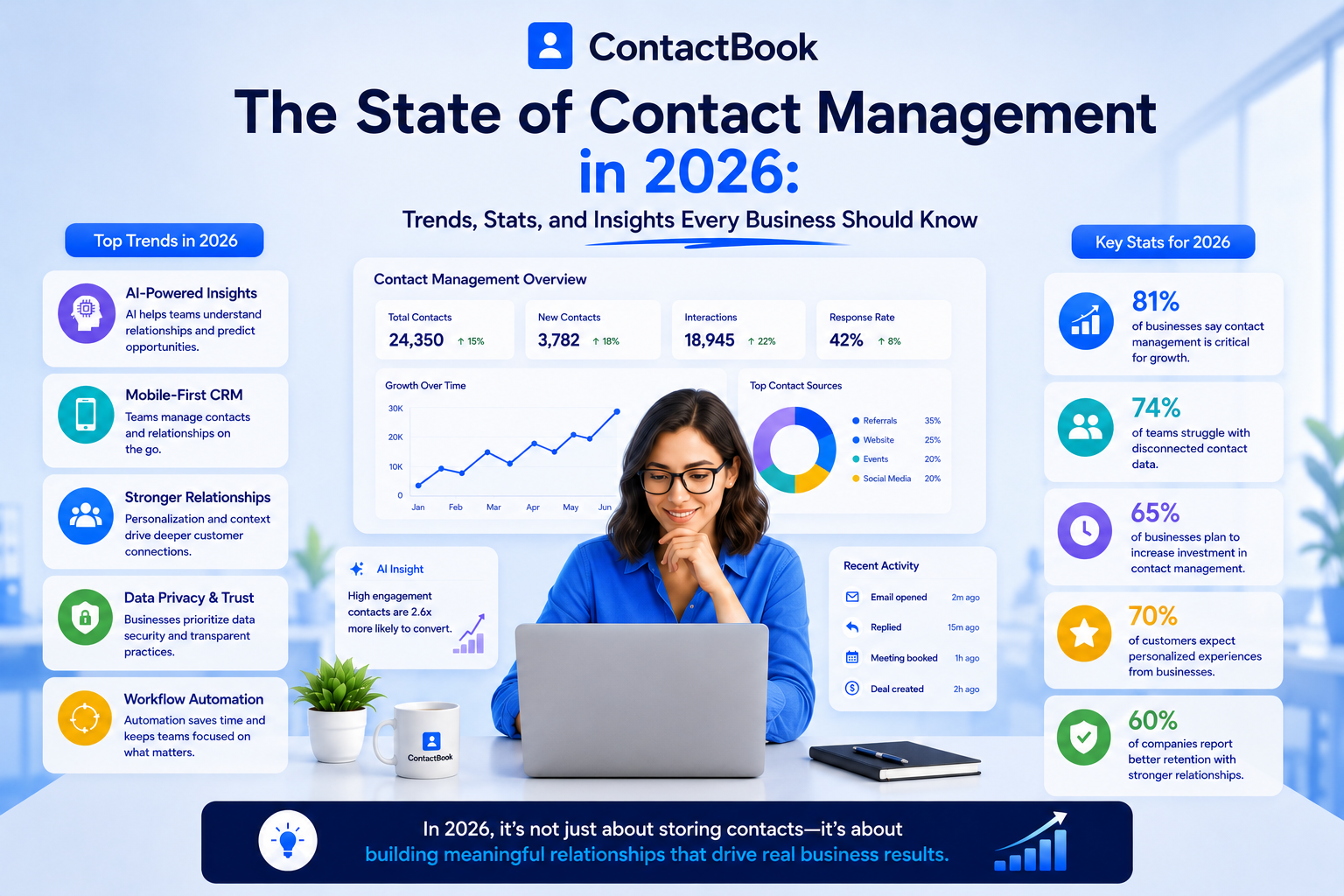
Contact management used to be simple.
You saved a name, phone number, and email address. Maybe you added a company name. If you were organized, you created a few labels or groups.
That was enough when business relationships were small, local, and mostly handled by one person.
But in 2026, contact management has become much more important.
Today, contacts are spread across Gmail, Google Contacts, phones, CRMs, spreadsheets, LinkedIn, WhatsApp, business cards, calendar invites, email threads, and shared drives. A customer’s phone number may be in one employee’s mobile. A vendor’s details may be in a spreadsheet. A lead may be buried inside Gmail. An investor contact may be saved only in the founder’s personal Google Contacts.
That is not just messy. It is expensive.
Poor contact management now affects sales, marketing, hiring, customer support, partnerships, operations, and team productivity. It slows down follow-ups, creates duplicate work, damages customer experience, and makes businesses less ready for AI.
The businesses that win in 2026 will not be the ones with the longest contact lists.
They will be the ones with the cleanest, most organized, most accessible, and most useful contact systems.
What Contact Management Means in 2026
Contact management is no longer just about storing phone numbers.
In 2026, contact management means creating a reliable system for capturing, organizing, updating, sharing, protecting, and using relationship data across a team.
A modern contact management system should help businesses understand who a contact is, where they came from, who owns the relationship, what has happened so far, and what should happen next.
From Address Book to Relationship System
The old contact book was passive. It stored information.
The modern contact system is active. It helps teams collaborate, follow up, segment contacts, enrich missing details, sync data across tools, and keep business relationships moving.
That shift matters because businesses now depend on relationships more than ever. Clients, leads, candidates, vendors, partners, investors, donors, and event contacts all need different types of communication.
A simple list cannot manage that complexity anymore.
Why Businesses Are Paying More Attention to Contact Data
Contact data is becoming a business asset.
If contact information is accurate and accessible, teams move faster. Sales reps follow up sooner. Recruiters reach candidates on time. Agencies manage client relationships better. Founders maintain investor networks. Support teams know who to contact. Operations teams coordinate vendors without confusion.
But when contact data is outdated or scattered, every team slows down.
That is why contact management is becoming a serious operational priority in 2026.
Key Contact Management Statistics for 2026
The contact management conversation is growing because the numbers are hard to ignore.
CRM and Contact Data Are Growing Fast
The global CRM market was valued at $112.91 billion in 2025 and is expected to grow to $126.17 billion in 2026, according to Fortune Business Insights. The same report projects the market could reach $320.99 billion by 2034.
This growth shows that businesses are investing heavily in customer and contact systems. But it also shows something else: companies are trying to solve a data organization problem at scale.
Not every team needs a full CRM. Many teams simply need better contact management before they are ready for complex sales automation.
Poor Data Quality Is Costing Revenue
A 2025 Validity report found that 37% of CRM users reported losing revenue because of poor data quality. The same report also found that 76% said less than half of their organization’s CRM data is accurate and complete.
That is a major warning for businesses.
If CRM data is incomplete, contact data is usually part of the problem. Missing phone numbers, outdated email addresses, duplicate contacts, wrong job titles, and disconnected records all make it harder for teams to work effectively.
Sales Teams Are Spending Too Much Time Away From Selling
Salesforce reports that sales reps spend 60% of their time on non-selling tasks, including admin work like entering customer notes into CRM systems and searching for internal materials.
This is exactly where poor contact management becomes a productivity issue.
Every time a rep has to search for a contact, verify an email, update a spreadsheet, ask a teammate for a phone number, or fix duplicate records, they are spending time away from selling.
B2B Contact Data Decays Every Month
HubSpot’s database decay page cites research showing that B2B data decays at about 2.1% per month, which equals roughly 22.5% annually. (HubSpot)
That means a contact list that looks clean today can become outdated surprisingly fast.
People change jobs. Companies rebrand. Email addresses stop working. Phone numbers change. Roles shift. Teams move. Without a contact management process, even good data becomes bad data over time.
Fragmented Data Is Hurting AI Readiness
A TechRadar report on HubSpot research found that only 31% of companies believe their data is ready for AI integration, and only 9% trust their data enough for accurate reporting. The same report said many valuable customer insights live outside centralized systems, often scattered across spreadsheets or chat tools.
This is one of the biggest contact management insights for 2026.
AI cannot create reliable results from messy data. Before businesses can get value from AI, they need clean, organized, centralized contact information.
Trend #1: Contact Management Is Moving Beyond Spreadsheets
Spreadsheets are still common, but they are no longer enough for growing teams.
A spreadsheet can store contact names and emails. It can even be shared across a team. But it does not work well when contacts need to be updated in real time, synced across devices, protected with permissions, enriched with notes, or connected to follow-up workflows.
Why Spreadsheets Break as Teams Grow
The problem with spreadsheets is not that they are bad. The problem is that they are static.
Someone downloads a copy. Someone edits the wrong version. Someone forgets to update a phone number. Someone adds a duplicate row. Eventually, nobody knows which file is accurate.
For a small contact list, this may be manageable. For a growing business, it becomes chaos.
What Businesses Are Using Instead
In 2026, teams are moving toward centralized contact management systems that support shared contacts, real-time updates, notes, tags, reminders, attachments, permissions, and sync across tools.
ContactBook, for example, positions itself as a cross-platform contact manager that syncs contacts across multiple accounts and devices, keeps activity logs, improves collaboration, and helps teams manage data in one place.
This is the direction contact management is heading: fewer static files, more living contact systems.
Trend #2: Shared Contacts Are Becoming Essential for Teams
One of the biggest changes in contact management is the move from personal contacts to shared contacts.
For years, business contacts were often stored inside individual employee accounts. That may seem harmless, but it creates serious problems.
When only one person has access to a contact, the whole business depends on that person.
The Hidden Risk of Personal Contact Lists
Imagine a sales rep leaves the company. Their best leads are still saved in their personal Google Contacts. A founder changes roles, and investor contacts are not accessible to the team. An operations manager keeps vendor details on their phone. A recruiter has candidate contacts in a private spreadsheet.
This creates a relationship continuity problem.
The business may have built the relationship, but the contact data is trapped with the individual.
Why Shared Contacts Solve This
Shared contact systems allow teams to give the right people access to the right contacts. This keeps contact data available, updated, and useful even when people change roles or leave the company.
ContactBook’s Gmail shared contacts page explains that users can share Google Contacts with Gmail and Google Workspace users, create groups, and make contact details visible in Gmail and other Google apps. (ContactBook)
For Google Workspace teams, this is especially useful because the contact data becomes part of the tools people already use every day.
Trend #3: AI Contact Enrichment Is Becoming a Must-Have
AI is changing contact management quickly.
In the past, teams had to manually complete missing contact details. They searched LinkedIn for job titles, checked email signatures for phone numbers, looked up company websites, and added notes one by one.
In 2026, AI contact enrichment is making that process faster.
What AI Contact Enrichment Does
AI contact enrichment helps improve incomplete contact records by filling missing details, suggesting tags, identifying patterns, and making contact data easier to search and use.
A basic contact might only include a name and email address. An enriched contact can include company name, role, location, source, notes, tags, and relationship context.
That extra context helps teams understand who the contact is and what to do next.
Why AI Depends on Clean Contact Data
AI is powerful, but it is not magic.
If your contact data is outdated, duplicated, incomplete, or scattered across multiple tools, AI will struggle to produce reliable results.
This is why contact management and AI are now connected. Businesses that want better AI outcomes need better contact systems first.
Trend #4: Contact Data Accuracy Is Becoming a Revenue Issue
Contact data accuracy used to feel like an admin problem.
In 2026, it is a revenue problem.
When contact data is wrong, sales reps call old numbers. Marketing teams send campaigns to inactive emails. Recruiters follow up with outdated candidate details. Customer support teams contact the wrong person. Agencies lose track of decision-makers.
Bad data does not just create inconvenience. It creates missed opportunities.
The Cost of Outdated Contacts
The annual decay of B2B contact data means businesses cannot treat contact cleanup as a one-time task. A database may be clean after an import, but it will not stay clean forever. Contact records need ongoing updates, deduplication, enrichment, and review. (HubSpot)
This is why modern contact management systems are shifting from “store once” to “maintain continuously.”
What Better Data Accuracy Looks Like
Accurate contact management means your team can trust the information it sees.
The email works. The phone number is current. The company name is correct. The contact is assigned to the right group. The notes are useful. The follow-up reminder is visible. The right team members have access.
That trust is what turns a contact database into a business asset.
Trend #5: Teams Want Simpler CRM Alternatives
CRMs are powerful, but not every business needs a full CRM.
Many teams buy a CRM because their contacts are messy. But messy contacts do not always require pipelines, forecasting, dashboards, automation rules, and heavy configuration.
Sometimes, the team simply needs a better contact management system.
Why Full CRMs Can Feel Too Heavy
A full CRM is useful when a business needs to manage structured sales pipelines, lead stages, deal values, forecasts, tasks, and detailed reporting.
But if the main problem is scattered contact information, a CRM can feel like too much. It may require setup, training, admin maintenance, and daily updates that the team is not ready for.
This is why many businesses in 2026 are looking for lightweight CRM alternatives that focus on shared contact management instead of full sales operations.
Where ContactBook Fits
ContactBook’s feature page presents capabilities such as universal search, private notes on shared contacts, attachments, groups, tags, shared groups, and workspaces. It also describes ContactBook as usable as an alternative to CRM for teams that need contact collaboration and organization.
That makes it attractive for teams that want the benefits of organized contacts without the complexity of a full CRM.
Trend #6: Contact Management Is Becoming More Collaborative
Contacts are no longer managed by one person.
Sales, marketing, operations, support, recruitment, leadership, and finance may all need access to different types of contacts.
That makes collaboration one of the biggest contact management trends in 2026.
Contacts Need Team Context
A contact record becomes much more useful when it includes context from different people.
A sales rep may know the prospect’s pain point. A support manager may know the customer’s issue. A founder may know the original relationship history. A recruiter may know candidate preferences. An account manager may know renewal timing.
When this information stays in separate inboxes or private notes, the team loses value.
Shared Notes, Tags, and Attachments Matter
Modern contact management is not only about storing contact details. It is about storing relationship context.
ContactBook supports public and private notes, attachments, groups, tags, and shared groups, helping teams organize contacts and collaborate around them. (ContactBook)
This makes contact records more actionable. Instead of just knowing how to reach someone, teams know why the contact matters.
Trend #7: Mobile Contact Management Is Becoming More Important
Business contacts are not only created at desks.
They are created at conferences, client meetings, networking events, sales calls, hiring fairs, vendor visits, and casual introductions.
That is why mobile contact management is becoming more important in 2026.
Teams Need Contact Access Anywhere
A team member may meet a prospect at an event and need to save the contact immediately. A recruiter may need to tag a candidate after a phone call. A consultant may need to add a note after a client meeting. A sales rep may need to set a follow-up reminder while traveling.
If contact management only works on desktop, important details get lost.
Mobile Apps Turn Contacts Into Real-Time Data
ContactBook’s mobile app page highlights features such as smart contact import from phonebook, Google, or iCloud, custom tags, notes, and follow-up reminders on the go. (ContactBook)
That kind of mobile access is becoming essential because the best time to update a contact is often right after the interaction happens.
Trend #8: Tags and Groups Are Replacing Messy Labels
As contact lists grow, organization becomes harder.
A simple A-to-Z contact list is not enough. Teams need to filter contacts by relationship type, source, region, role, industry, priority, project, or department.
This is where tags and groups become important.
Why Tags Are Useful
Tags help teams describe contacts in flexible ways.
A contact might be tagged as “Investor,” “SaaS Lead,” “Event 2026,” “High Priority,” “Referral,” or “Partner.” Tags make it easier to search, segment, and act on contacts.
Why Groups Are Useful
Groups help teams share specific sets of contacts with the right people.
ContactBook explains that groups allow users to share contacts with specific users or teams, which helps maintain consistency and prevent duplication or outdated information.
Together, tags and groups give teams a simple way to organize contact data without creating a complicated CRM structure.
Trend #9: Follow-Up Reminders Are Becoming Part of Contact Management
A contact is only valuable if someone follows up.
Businesses often lose opportunities not because they lack contacts, but because they forget to act on them.
A lead says, “Reach out next month.” A vendor asks for a call next week. A candidate wants to reconnect after exams. A client asks for a proposal after budget approval.
Without reminders, those moments disappear.
Contact Management Is Becoming Action-Oriented
The best contact systems now help teams remember what to do next.
ContactBook’s help documentation explains that users can add reminders to contacts for important dates, including birthdays and anniversaries. (ContactBook)
For businesses, reminders can support sales follow-ups, renewal conversations, hiring updates, partner check-ins, and customer relationship management.
This is one of the biggest shifts in contact management: contacts are becoming connected to actions.
Trend #10: Security and Permissions Matter More Than Ever
As teams share more contact data, security becomes more important.
A company contact database may include customer details, vendor information, partner contacts, candidate records, investor relationships, and internal team information.
Not every employee should have the same level of access.
Contact Sharing Needs Control
Businesses need to share contacts without losing control over sensitive information.
This means permission management is becoming a core contact management requirement. Teams need to decide who can view, edit, manage, or share different contact groups.
ContactBook’s Gmail shared contacts page notes that label owners can share contacts and that other Google Workspace team members can receive contacts but cannot modify them by default.
This type of access control helps teams collaborate without turning shared contacts into an uncontrolled database.
What These Trends Mean for Businesses
The state of contact management in 2026 is clear: contact data is no longer a small admin detail.
It is part of business productivity, customer experience, sales performance, AI readiness, and team collaboration.
Businesses Need a Single Source of Truth
The biggest takeaway is that businesses need one reliable place for contact information.
This does not always mean buying a full CRM. It means choosing a system that keeps contacts organized, updated, searchable, shareable, and secure.
For some teams, that may be a CRM. For many others, it may be a dedicated contact management platform.
Businesses Need to Stop Treating Contacts as Personal Property
Business contacts should not live only inside personal accounts.
If a client, vendor, lead, candidate, investor, or partner matters to the business, the business needs a system for managing that relationship.
Shared contact management helps companies protect relationship continuity.
Businesses Need to Prepare Contact Data for AI
AI will only become more important.
But AI depends on data quality. Businesses that want to use AI for sales, marketing, customer experience, or workflow automation need clean contact data first.
If the contact database is messy, AI will only scale the mess.
How ContactBook Supports the Future of Contact Management
ContactBook fits many of the biggest contact management trends of 2026 because it focuses on the practical problems teams face every day.
It helps teams centralize contacts, share them securely, organize them with tags and groups, add notes and attachments, set reminders, sync contact information, and collaborate around shared contacts. ContactBook’s feature page highlights universal search, notes, attachments, groups, tags, shared groups, and workspaces as part of its contact management experience.
For Google Workspace teams, ContactBook also supports Gmail and Google Contacts sharing, making contact details easier to access across Gmail and other Google apps.
This makes ContactBook especially useful for businesses that have outgrown spreadsheets but do not want the complexity of a full CRM.
Final Thoughts: Contact Management Is Becoming a Growth System
The state of contact management in 2026 can be summed up in one idea:
Your contacts are only valuable if your team can find them, trust them, share them, and act on them.
A large contact list does not automatically create growth. In fact, if that list is outdated, duplicated, scattered, or incomplete, it can slow the business down.
The real advantage comes from clean, organized, shared, and actionable contact data.
That is why contact management is becoming more strategic in 2026. It affects revenue, productivity, customer relationships, AI readiness, and team collaboration.
Businesses that fix contact chaos now will have a serious advantage.
They will respond faster, follow up better, collaborate more smoothly, and make better use of every relationship they already have.
FAQs
What is contact management in 2026?
Contact management in 2026 means organizing, updating, sharing, protecting, and using contact data across a team. It goes beyond storing names and numbers and includes tags, notes, reminders, permissions, sync, enrichment, and collaboration.
Why is contact management important for businesses?
Contact management is important because businesses depend on accurate relationship data. Poor contact management leads to missed follow-ups, duplicate work, outdated information, lost relationships, and lower productivity.
What are the biggest contact management trends in 2026?
The biggest trends include AI contact enrichment, shared contacts, contact data accuracy, mobile contact management, CRM alternatives, Google Workspace contact sharing, automation, tags and groups, reminders, and stronger permission control.
How does poor contact data affect revenue?
Poor contact data can cause missed sales follow-ups, failed marketing campaigns, wrong outreach, duplicate records, and bad customer experiences. Validity reported that 37% of CRM users lost revenue because of poor data quality.
Do all businesses need a CRM?
No. Some businesses need a full CRM for pipelines, forecasting, automation, and reporting. Others simply need a better contact management system to organize, share, and update contacts without CRM complexity.
Why are shared contacts important?
Shared contacts help teams access the same updated contact information. They reduce dependency on individual employees, prevent duplicate work, and make business relationships easier to manage across departments.
How does AI change contact management?
AI helps improve contact management by enriching missing details, suggesting tags, reducing manual research, improving segmentation, and making contact data easier to use. But AI works best when the underlying contact data is clean and centralized.
What is the best way to manage contacts in 2026?
The best way is to use a centralized contact management system that supports contact sharing, real-time updates, tags, groups, notes, reminders, mobile access, permissions, and sync with tools your team already uses.

.png)




